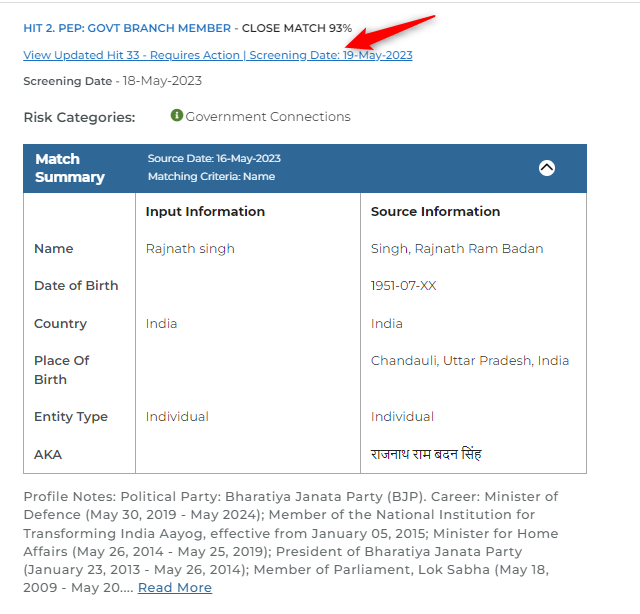
Hit Update
If there is an update on a hit on any subsequent frequency, the user can now see the past finding the updated hit is linked to. This makes it easy to identify what has been updated, past decisions and when the hit was updated.
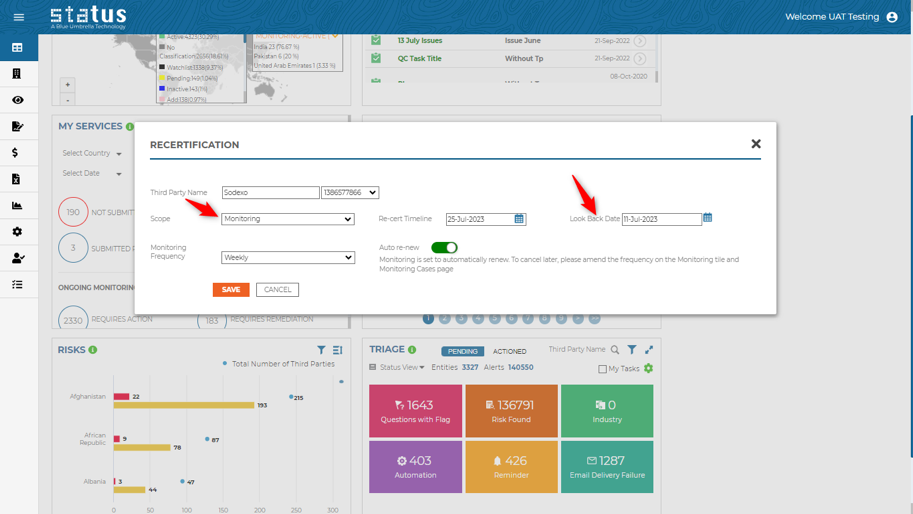
Recertification of Monitoring with a Lookback Date
Clients can now specify or automate the lookback date while choosing to recertify monitoring. To learn more about Status automation capabilities, please reach out to your CSM representative.
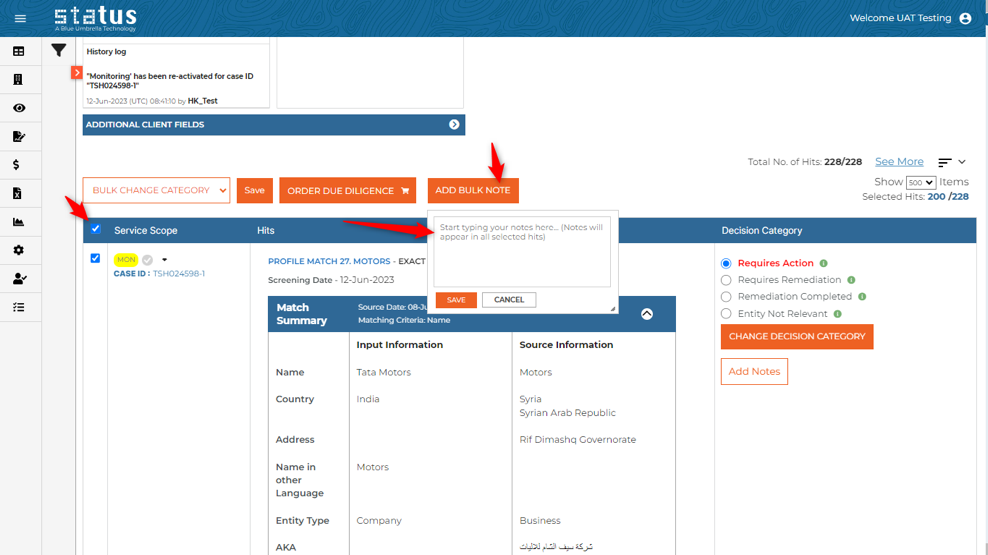
Add Bulk Monitoring Notes
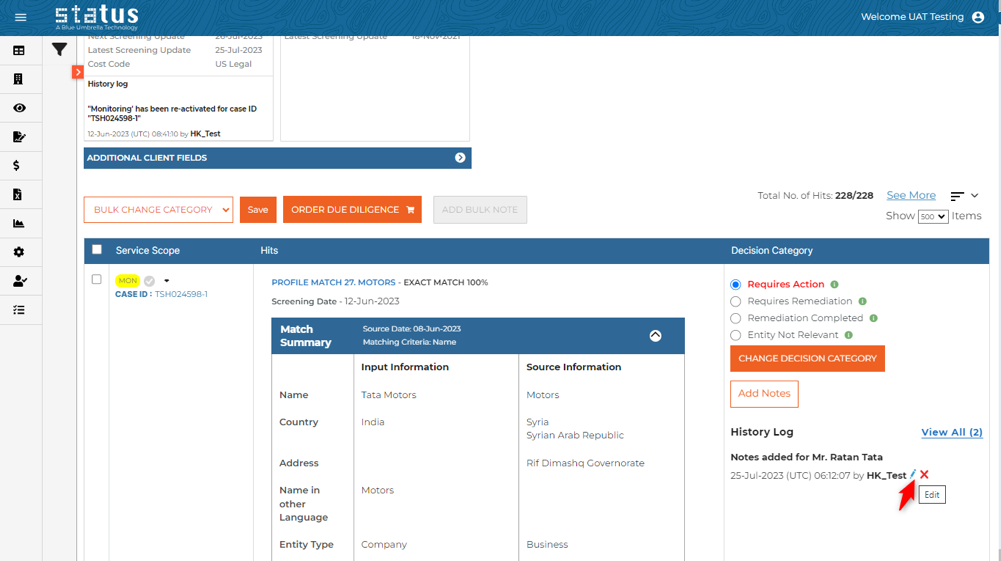
Users can now add bulk notes while reviewing their monitoring hits, helping increase efficiency.
Edit Monitoring Notes
Now users can edit their monitoring notes from monitoring cases, making it easier to make necessary changes.
Managed Monitoring
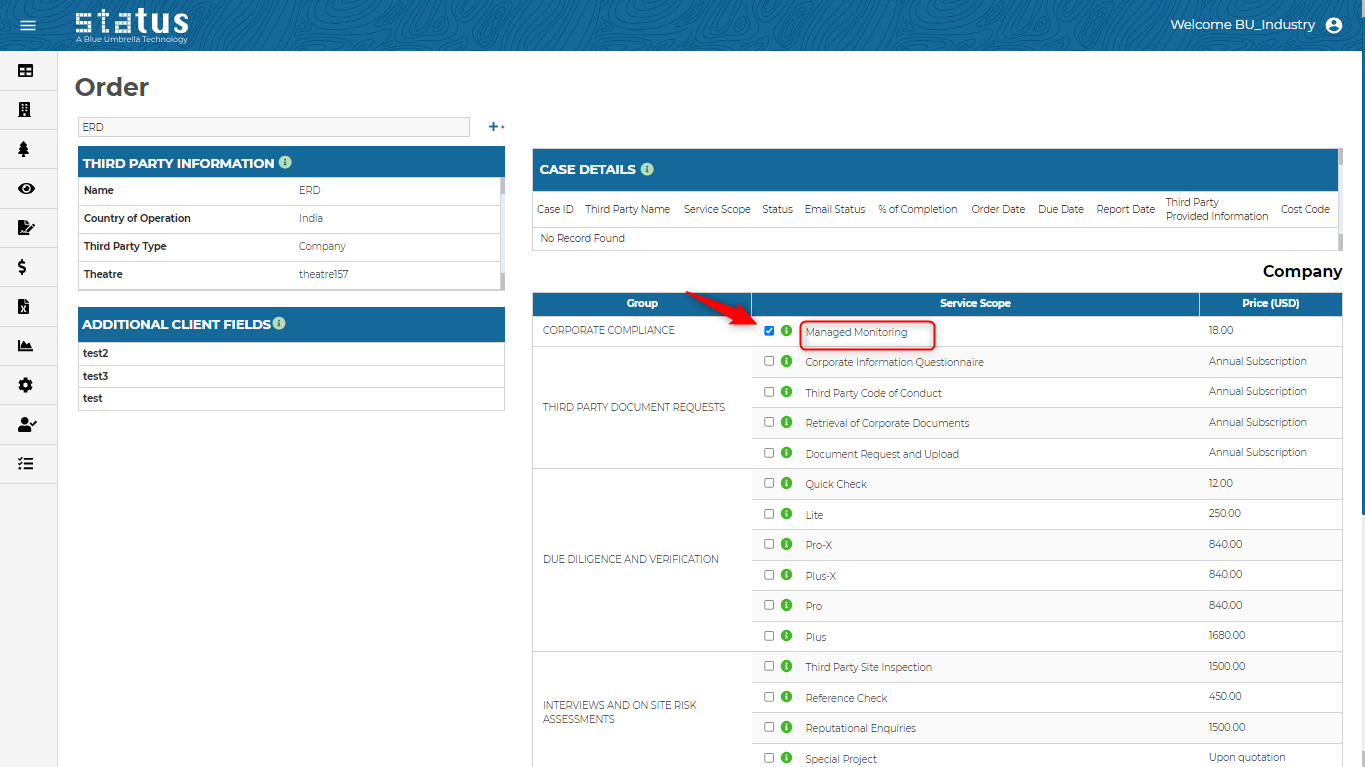
If you have opted for managed monitoring, the service scope will be renamed to Managed Monitoring with an abbreviation MMON. To learn more about managed monitoring, please visit our knowledge base or contact your CSM representative.
Updated User Management Page
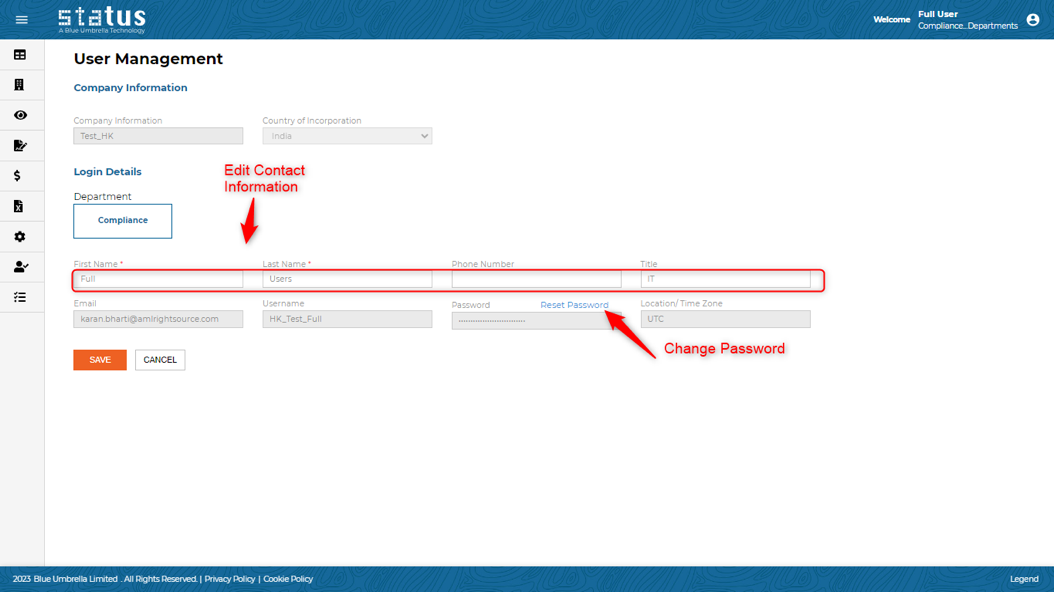
We have merged two pages - the Edit Contact Information page and the Change Password page to the User Management page. Users can change their password from the User Management page.
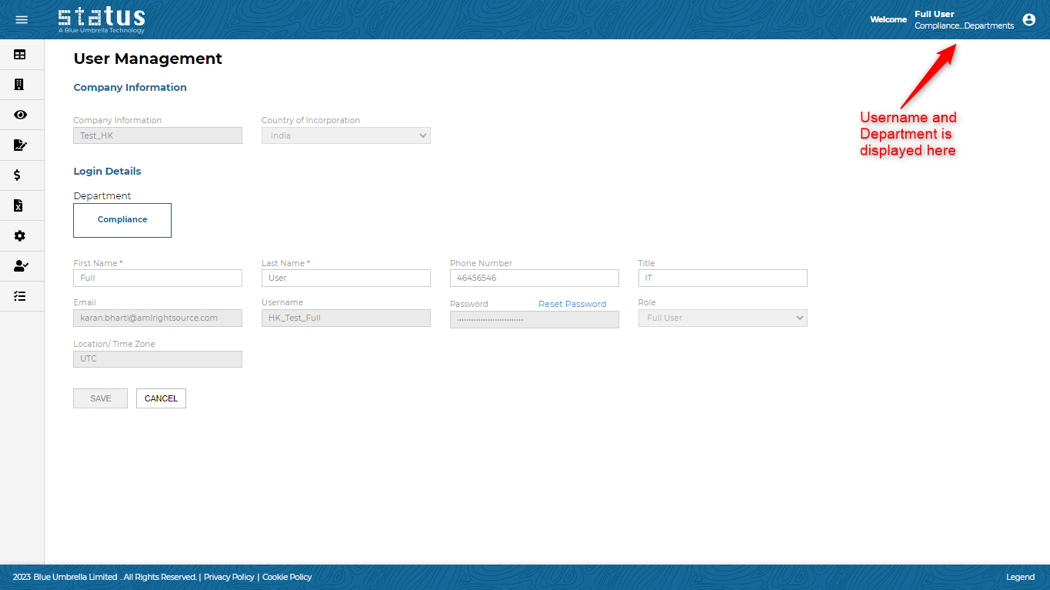
In addition, users can now be assigned or linked to a specific department, which is visible on the User Management Page. For example, Compliance, IT, Supply Chain or Legal for better organization. Existing users are by default assigned to the Compliance Department. To change the setting, please reach out to your CSM representative.
We always welcome your feedback and suggestions on how to make Status more impactful to your compliance workflow.
For more information on the production updates, please reach out to your client success manager today. We appreciate it!
Thanks,
Blue Umbrella Team