
Have a Support Request?
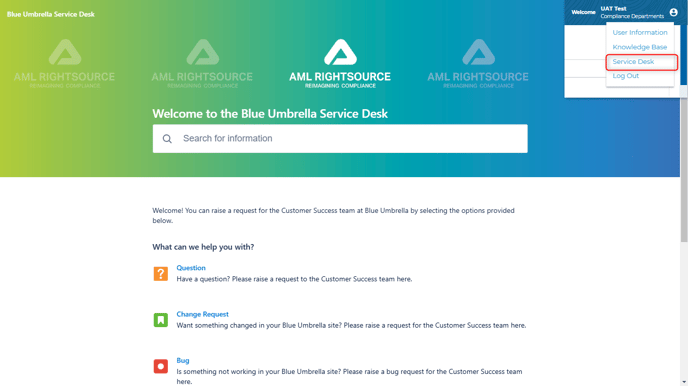
Going forward, please utilize the Blue Umbrella Service Desk to submit and manage requests with our Customer Success team. The link can be found under the Login button. Please reach out to your Client Success Manager for more details.
Business Intelligence: ACF Filter
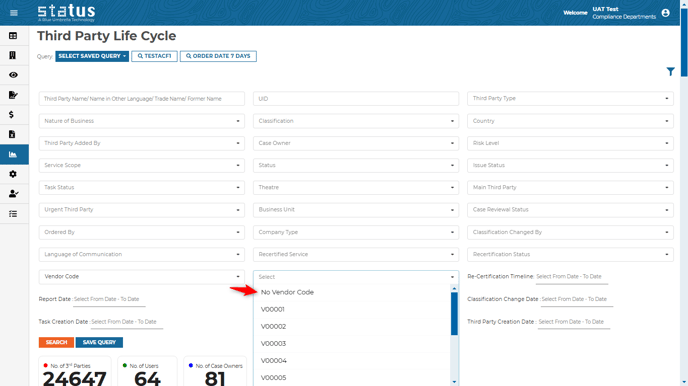
Users can now filter by empty values on additional client fields within all business intelligence pages. If you would like to add an additional client field, please contact your Client Success Manager.
Users can now view the pending questionnaire on Status from the case details page. Answers will only be visible once they are submitted by the third party.

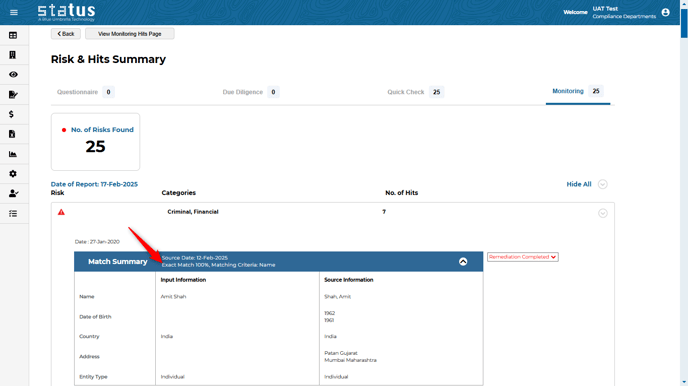
Matching summary:
User can view the matching percentage for the Quick check and Monitoring hits while reviewing the finding under Risk & Hits Summary page.
Triage: Control Over Actioned
When a user takes an action in triage, they can decide to untick the “remove from triage” option if they want to keep it under the pending tab.

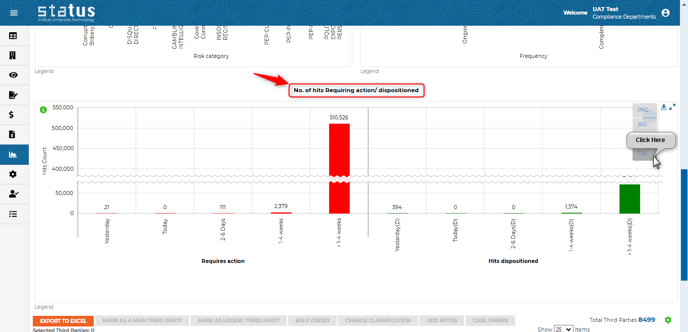
Business Intelligence Number of Hits Dispositioned
Users can now view a new graph under the Monitoring business intelligence page. This graph highlights the turnaround time it takes to review the hit and change the decision category (hit dispositioned) and how long the hits are still pending for review from users.
Instant Check Log
Instant check log under log page is now limited to only users who have access to the Instant Check page.

We always welcome your feedback and suggestions on how to make Status more impactful to your compliance workflow.
For more information on the production updates, please reach out to your Client Success Manager today.
Thanks,
Blue Umbrella Team