
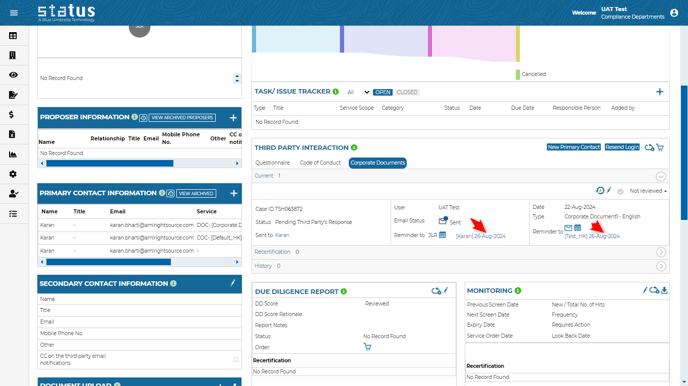
1. Third Party Interaction Services Reminder
You can now send a different email template per reminder to your primary contact person and/or to yourself if the service is pending a third party’s response.
2. Optimize Your Screening Criteria
You can opt to hide hits whether from Monitoring, Quick Check or Instant Check if the country of operation/residence doesn’t match the finding, additionally to the entity type. Please contact your Client Success Manager to enable the settings.

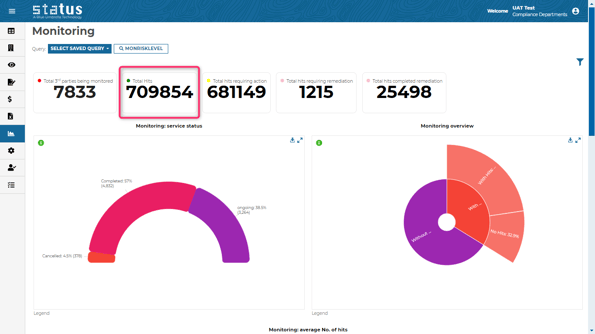
3. New Clickable Monitoring Overview Data
The overview data on the Business intelligence Monitoring page has been updated and is now clickable. Feel free to click on it and filter it.
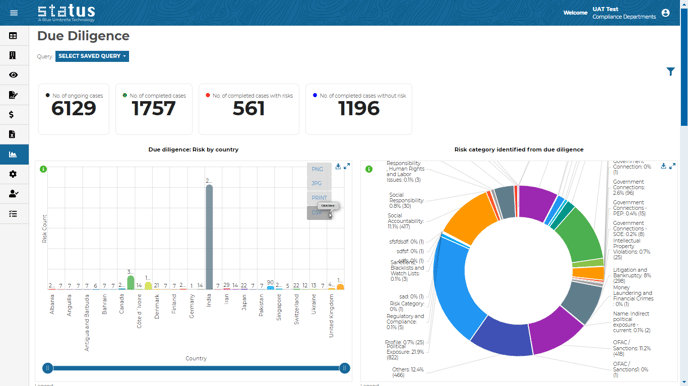
4. Due Diligence BI Changes
The Due Diligence Business Intelligence page has been revamped to include new overview data, a new chart (Due Diligence: Risk by Country), and new CSV export functionality. Please click on the information icon to learn more about the chart.
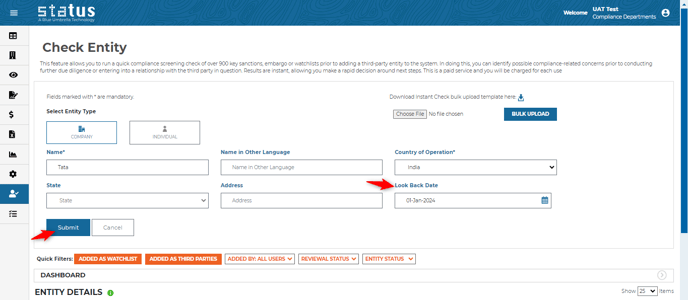
5. Instant Check Look Back Date
Users can apply look back date criteria to only return findings which occurred after the selected date.
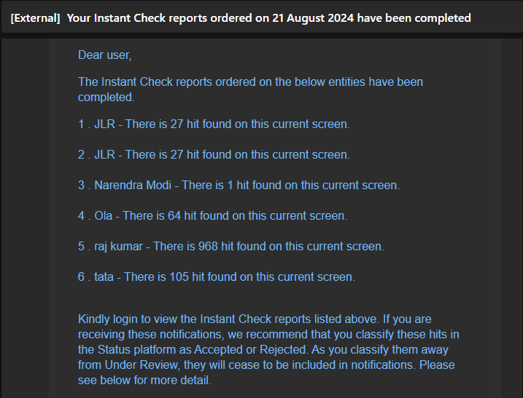
6. Instant Check Notification
A daily email notification about your instant check completed orders can be set. Please contact your Client Success Manager to enable the settings.
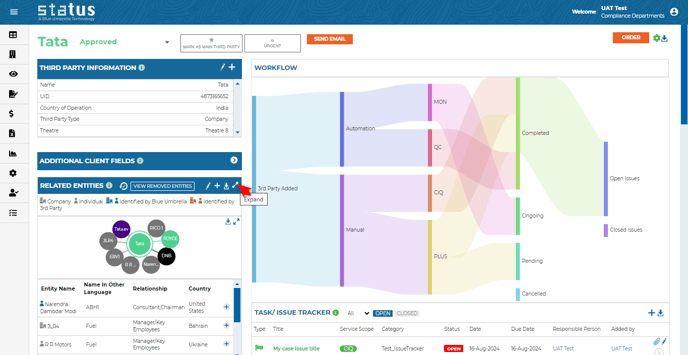
7. Expanded View of Related Entities
A new expand icon has been added within the related entities tile, enabling a full-page view.
We always welcome your feedback and suggestions on how to make Status more impactful to your compliance workflow.
For more information on the production updates, please reach out to your Client Success Manager today.
Thanks,
Blue Umbrella Team