
We are always updating and providing feature enhancements to our users. Here are our newest updates for June.
Monitoring UI
Hyperlink to Third-Party Dashboard:
Within the hit page, users can click on the Third-Party name and UID on the top left-hand side to go directly to the third-party dashboard.
Sorting and Filtering:
The sorting and filtering icons will be on the top right-hand side of the page to align with the natural behaviour of users.
Numbering of Hits:
Hits will be numbered for each frequency for easier reference to users.
Match Summary:
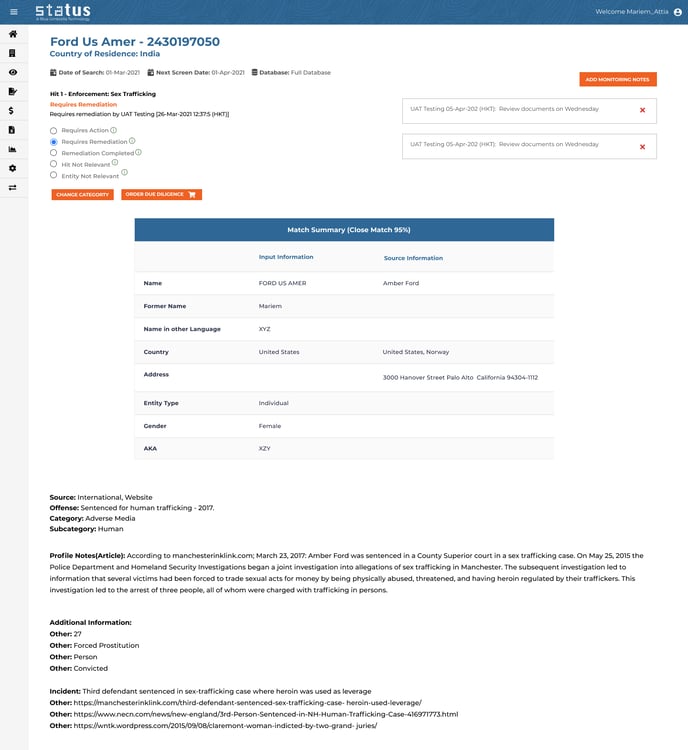
A new match summary will include third-party name, former name, country, AKA and more, comparing Status/input information vs database/source information for ease of user reference whilst reviewing all hits.
Hit Page
The hit page will include the same functionality changes as the monitoring page along with the match summary table.
Monitoring Report
Screening Summary:
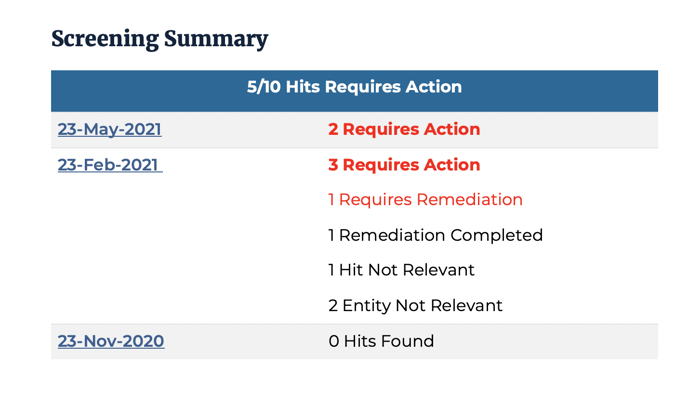
For each screening date, users will be able to click the hyperlink to scroll directly to that specific section of the report for easy linking to information within the report.
Per screening there will be a monitoring category summary for effortless viewing of actionable items.
Quick Check Report
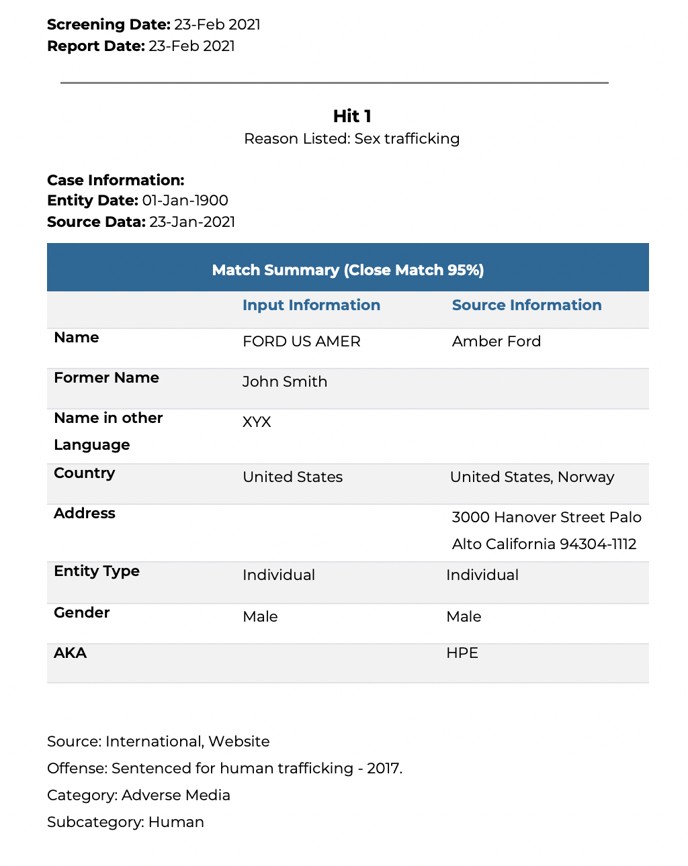
Hits in Quick Check reports will be numbered per frequency for easy reference.
A match summary table will be viewable at the beginning of the Quick Check report to allow users to see a snapshot of information on the third-party.
Within the table, information will be shown by input vs source information to allow for visual comparison.
Recertification Automation: Change on Criteria
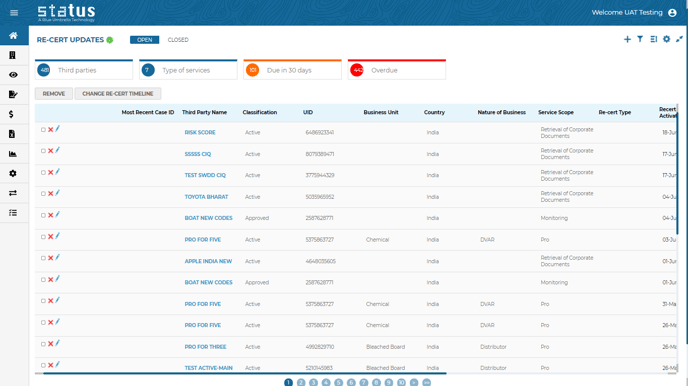
If a change occurs on the automated scheduled recertification, the new recert-timeline and/or service will be highlighted along with the reason on the recertification update tile. If the recertification automation is suspended (automation criteria is not met anymore), the change will be shown to the user in triage for further action.
Risk Score Without DD Customization: Part II
Questions that have been completed from business case or CIQ can now be included on the risk score without Due Diligence.
.png?width=688&name=Risk%20tile-%20score%20without%20DD%20(highlight%20the%20first%20and%20last%20values).png)
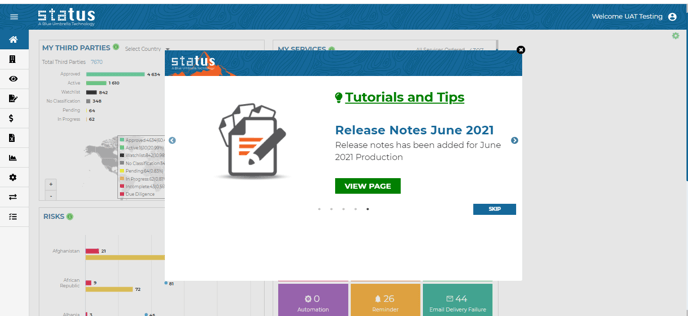
Releasing Notes Tutorial Popup
Users will now receive tutorials which will include tips and tricks for better use of Status. Stay up-to-date on the 15th of each month with a popup that when clicked will link to the exact page of discussion.
BI Filters by Task Creation Date and Company Type:
Enhanced search functionality allows you to filter by task creation date and company type in different Business Intelligence templates. To subscribe to Business Intelligence, please speak with your CSM.
We welcome your feedback and suggestions on how to make Status the best it can be. Reach out to your client success manager if you have any thoughts you would like to share.