Learn how to upload supporting documents into Status.
Document Upload
Status allows you to upload any kind of document and makes document management easier than ever:
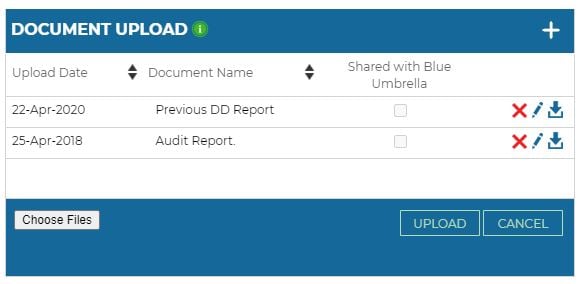
- Press + to add a new file
- Use a unique document name, choose your file and upload the file
- You can upload any kind of file, whether it is a .pdf, .doc or an image.
Once a document is uploaded, you can edit, delete or download the document by using the corresponding icons.
When you select “Share with Blue Umbrella”, the document will be shared once you order a due diligence report.