
Learn about the contract management feature in Status.
Contract Management
This tile allows you to enter data regarding a contract with the third party in question. You have the option to include the following details about the contract:
- Contract effective date and termination date
- Type of contract: Service(s), Product(s), Product(s) and Service(s)
- Jurisdiction (country where the contract is executed)
- Approximate contract value with associated currency
- Commercial importance
- Renewal date – either a selected number of months or a specified date
- Reminder to client with an associated date
- Applicable business unit (internal)
- Responsible person and signed by
- Key terms and provisions – allows you to assign categories or search terms related to this contract
- Supporting documents – any documents relating to the contract.
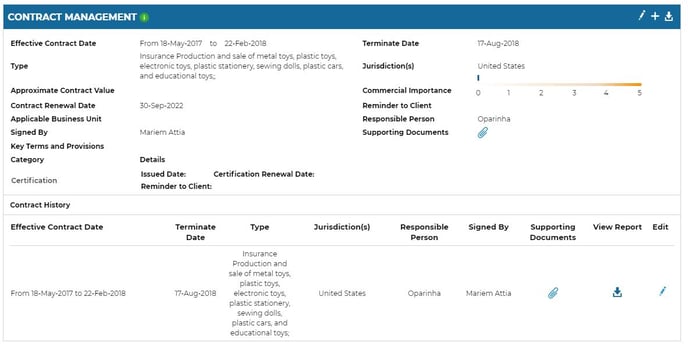
Once contract details have been uploaded, you can view and download a report of the details or supporting documents. You can also edit the details related to the contract by clicking on the pencil icon.