
Here are the updates and feature enhancements as of our January update.
We are continually working to enhance Status and bring more features to you, our users. These are some of the most significant changes in this round of updates.
Search
Quick & advanced
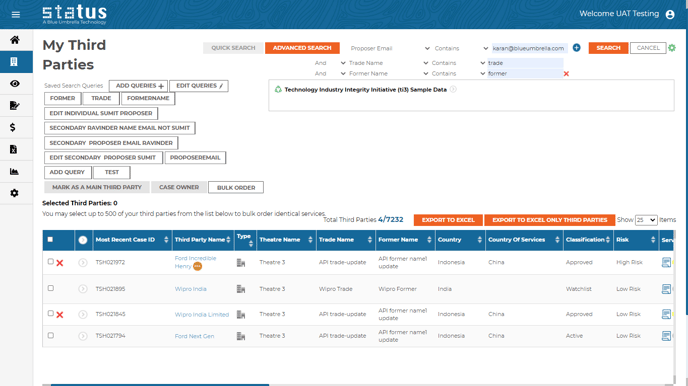
New advanced (trade and former names) and quick search fields within the third parties page.
Advanced: all proposersSearch on third parties will now apply to all proposers instead of only the main proposer.
Merge Third Parties Page
Users can now search with more criteria for potential duplicates on merge third parties pages.
Triage
New entry criteria: automation missing info
A new category under Automation: Missing Information has been added, clients can now update the missing details which caused a pause in automation previously.
Filters
Within the Triage page, new filters are added to enhance data selection and search capabilities.
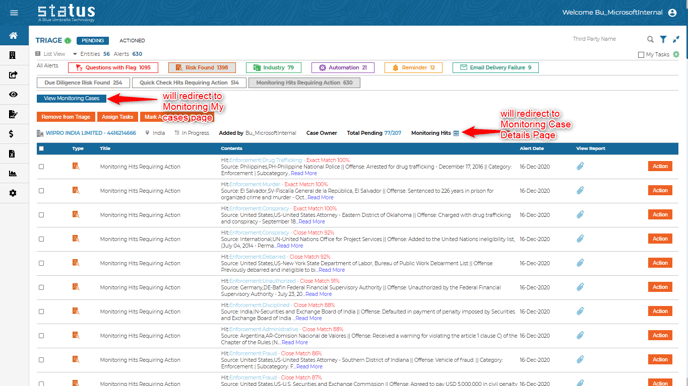
Direct to Monitoring Cases
A user can be directed to the Monitoring page from Triage if a bulk action is required.
Business Case
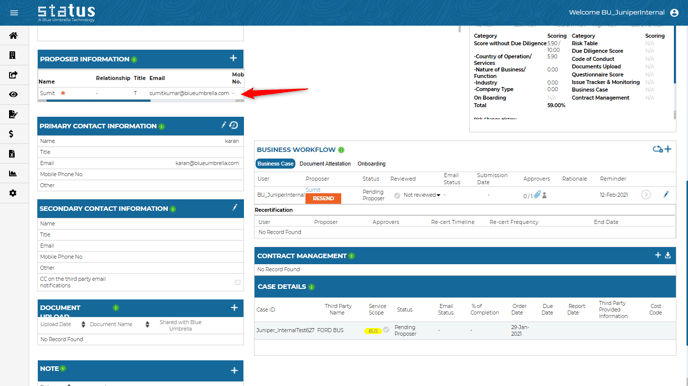
Link Proposer & BC tiles
The history of proposers from the business case tile is now available on the Proposer tile.
Access Right
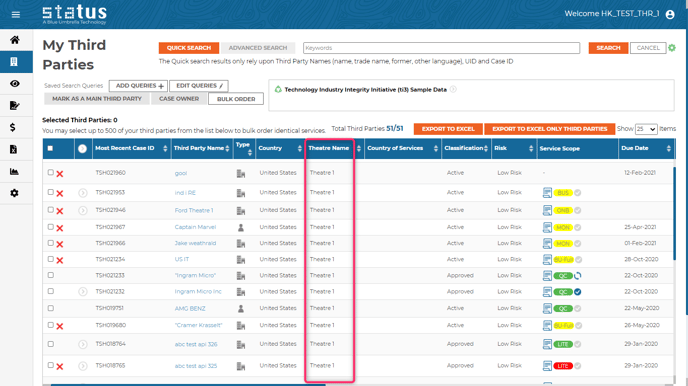
By Theatre
Additional access rights control has been added. Accessing and editing rights are now adjustable for the third parties from specific theatres.
Business Intelligence:
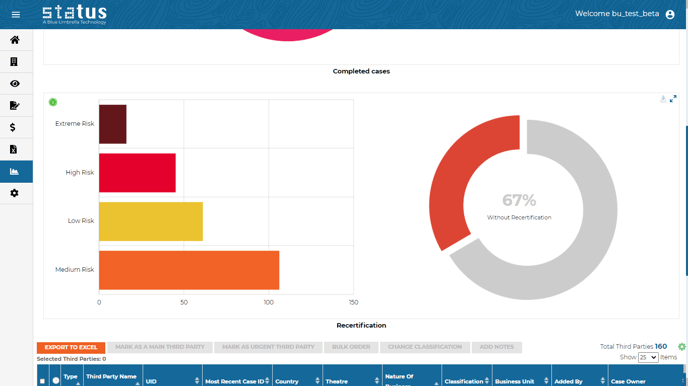
Recertification graphs
Two recertification graphs are now available on the third-party life cycle and completed cases.
Sorting
Sorting has now been added to all templates available in Business Intelligence cases.
Reviewal date
A new column has now been added based on when the reviewal status last changed (reviewing, not reviewing, reviewed).
Quick Check and Monitoring
Status users can now choose which watchlists to screen. For example, you can screen the full database or select specific sanction lists. To activate this setting, please speak with your CSM representative.
We always welcome your feedback and suggestions on how to make Status even better. Don't hesitate to reach out to us or speak directly to your client success manager if you have any thoughts to share. We appreciate it!