
Learn how to order within STATUS.
The Status platform has made the ordering process for due diligence a very simple task. In the top navigation in the home page, under the Third Parties menu, select “Order”: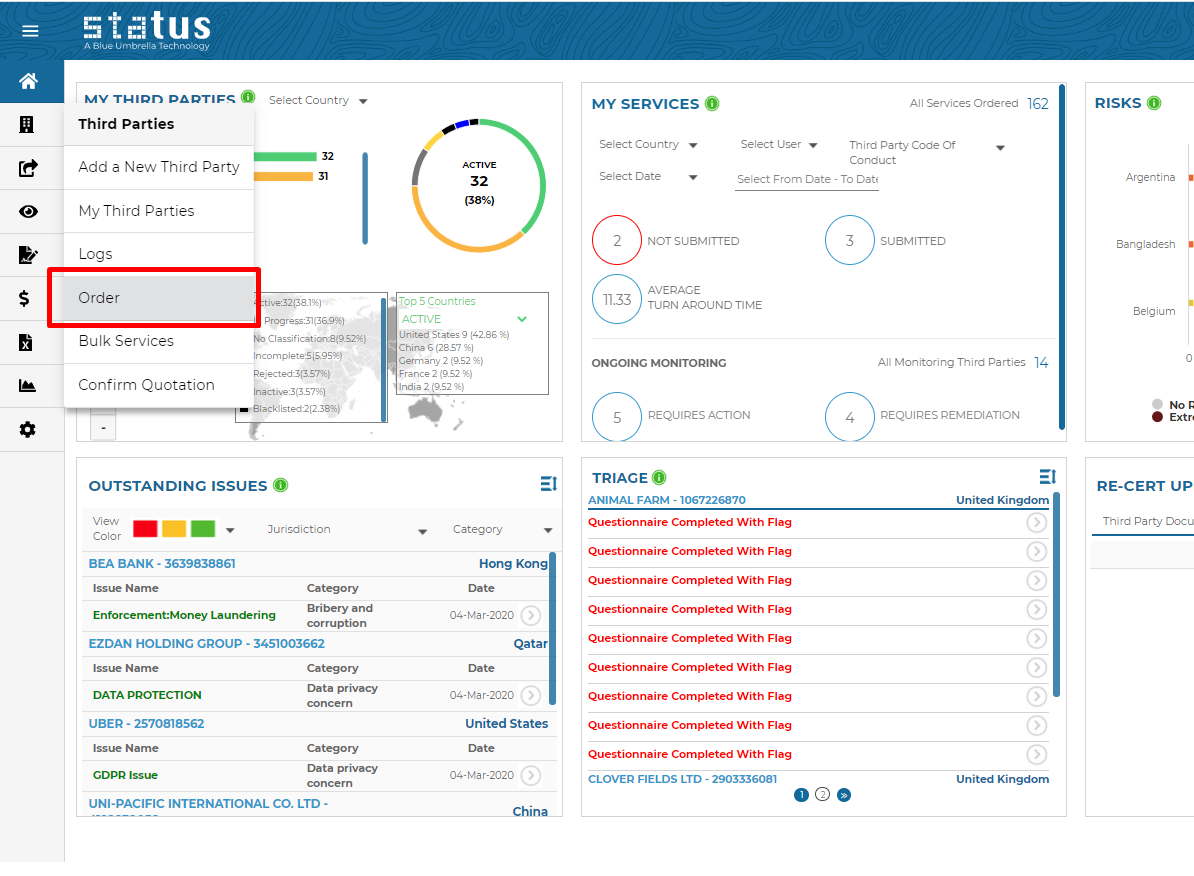
Alternatively, click the “Order” button in the top right hand corner of any third party’s dashboard or the shopping cart in the various tiles to take you to the order page:
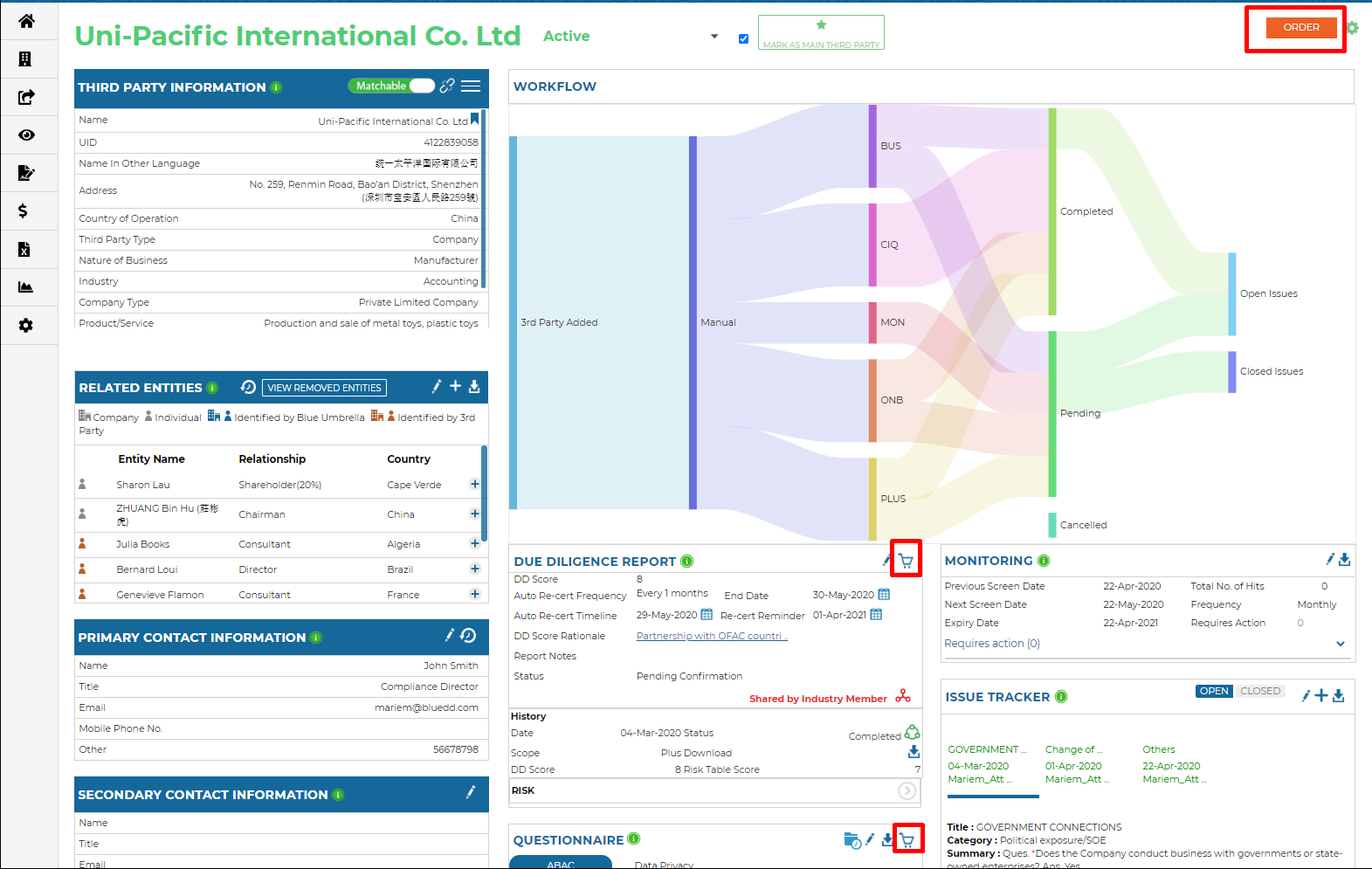
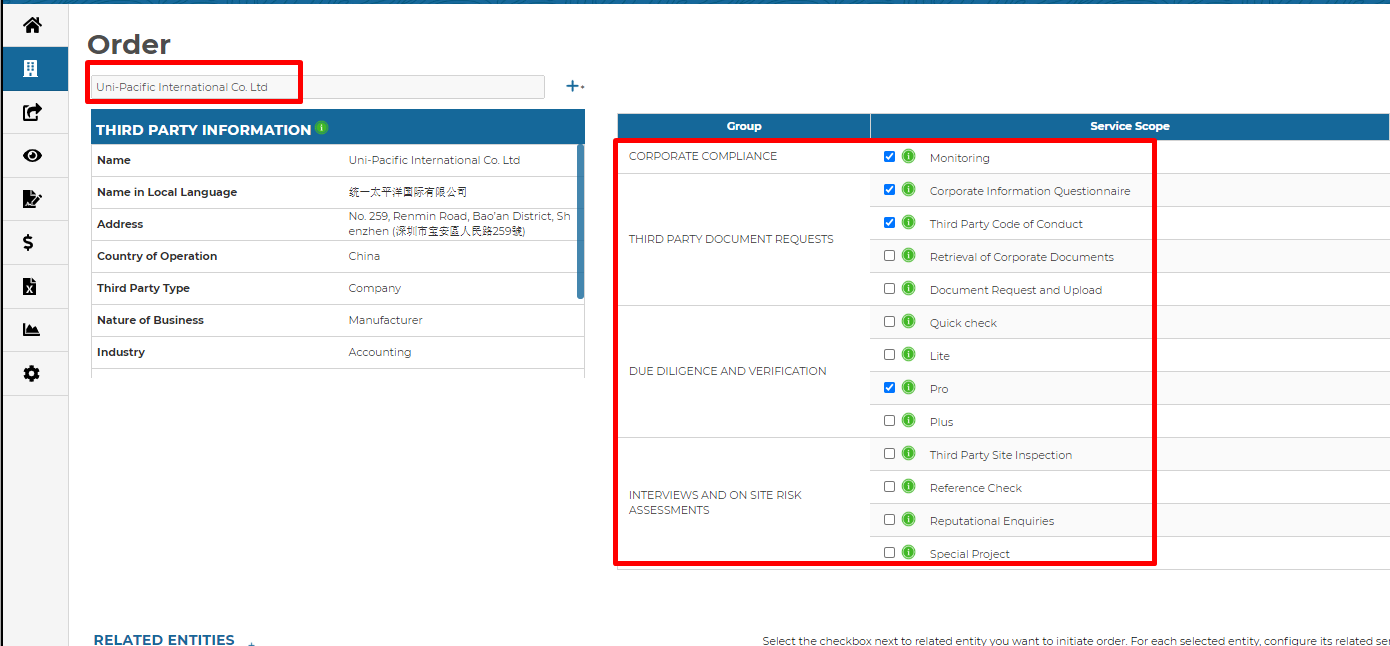
Select your third party, then choose all of the services you would like to order.
Simply click on the information icon to learn more about each service. Select and confirm;
You can share any documents or notes with the Blue Umbrella due diligence researchers team prior to ordering due diligence. This can help our research team understand specific concerns that we can use while researching your third parties.
Invoicing tip: You can also add cost codes for ordered services. This way, you can track and invoice services to different cost codes or business units. Please ask your Client Success Manager for more details.
FOR INDUSTRY MEMBERS:
Shared Industry Reports
There are additional ordering options for Status Industry members. The number of options available for each third party depends on whether other other industry members have already ordered and shared a report:
1. ORDERING A NEW REPORT
You can order a completely new report with a standard turnaround time and cost. You can also order an express report for any time that you are in a rush and are needing faster turnaround times for the results of those reports.
2. ORDERING AND SHARING A NEW REPORT
If you order and share a new report, other industry members can subsequently purchase your shared report. Once your shared report is ordered by other members, you will receive credit points that you can use to discount future purchases.
3. ORDERING A SHARED REPORT
If you order any report that another member has previously ordered and shared, you will receive a significant discount.
Ordering shared reports not only results in significant cost savings but also time savings. Turnaround time for delivery of a shared report that you order is typically only one business day. To ensure that the shared report is sufficient for your organizations compliance requirements, before you place your order you'll be able to see the scope of report, the country of operation, and when the report was completed.
4. UPDATING A SHARED REPORT
If the shared report is not recent, you have the option to update any report that another member has previously shared. Updating a shared report to be current will still provide a cost savings and reduced turnaround time. Once an industry member purchases your shared updated report, you will also receive credit points that you can utilize to reduce the costs of future due diligence purchases.
This gives you the most up-to-date information about a third party while still providing cost saving benefits and shorter turnaround times compared to ordering a completely new report.
Credit Points
If other industry members order your shared due diligence reports, you will gain Credit Points that can be used to discount future services purchased through Status.
To view your Credit Point balance, click on your username in the top right corner, & select Credit Points
Here you can:
View your current Credit Point balance
See how many Credit Points were generated for each order (Credit Points Generated)
View the total Credit Points you have used so far (Credit Points Deducted)
Credit Points that Expired
And when Credit Points are due to Expire
To use your Credit Points when ordering due diligence, simply tick the box 'User Credit points'.
Note: Credit Points expire one year from the reward date.
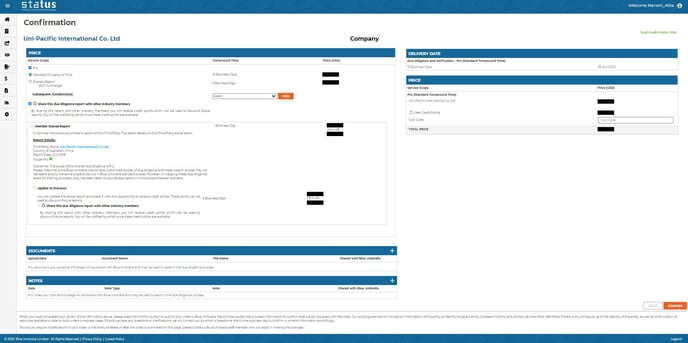
Here is a view of the confirmation page for members of the Industry Integrity Initiative:
For any further questions regarding ordering due diligence in Status, please reach out to your Blue Umbrella client success manager.