This article will help with understanding what is unmanaged monitoring, how to order the service, and the types of potential action items from the results of the screenings.
What is Unmanaged Monitoring?
Monitoring in Status is our ongoing compliance database screening service where you can set screenings to be run on a regular basis. Our Monitoring service plugs into just under 1,000 compliance datasets to look for hits related to OFAC/Sanctions, embargoes, watch-lists, modern slavery, etc. Our monitoring solution uses a matching algorithm that will return potential risks based on a variety of information that is provided by you for the third party. Occasionally, the results may return potential risks that may not be directly related to the third party you are researching.
Our Unmanaged Monitoring service would require your compliance team to review all hits related to a screening result, and would require them to filter out any false positives. Our matching algorithm can be tailored in order to increase the matching relevancy if needed and there are specific actions that can be taken that can help reduce the amount of false positives which are outlined below.
How to order Monitoring:
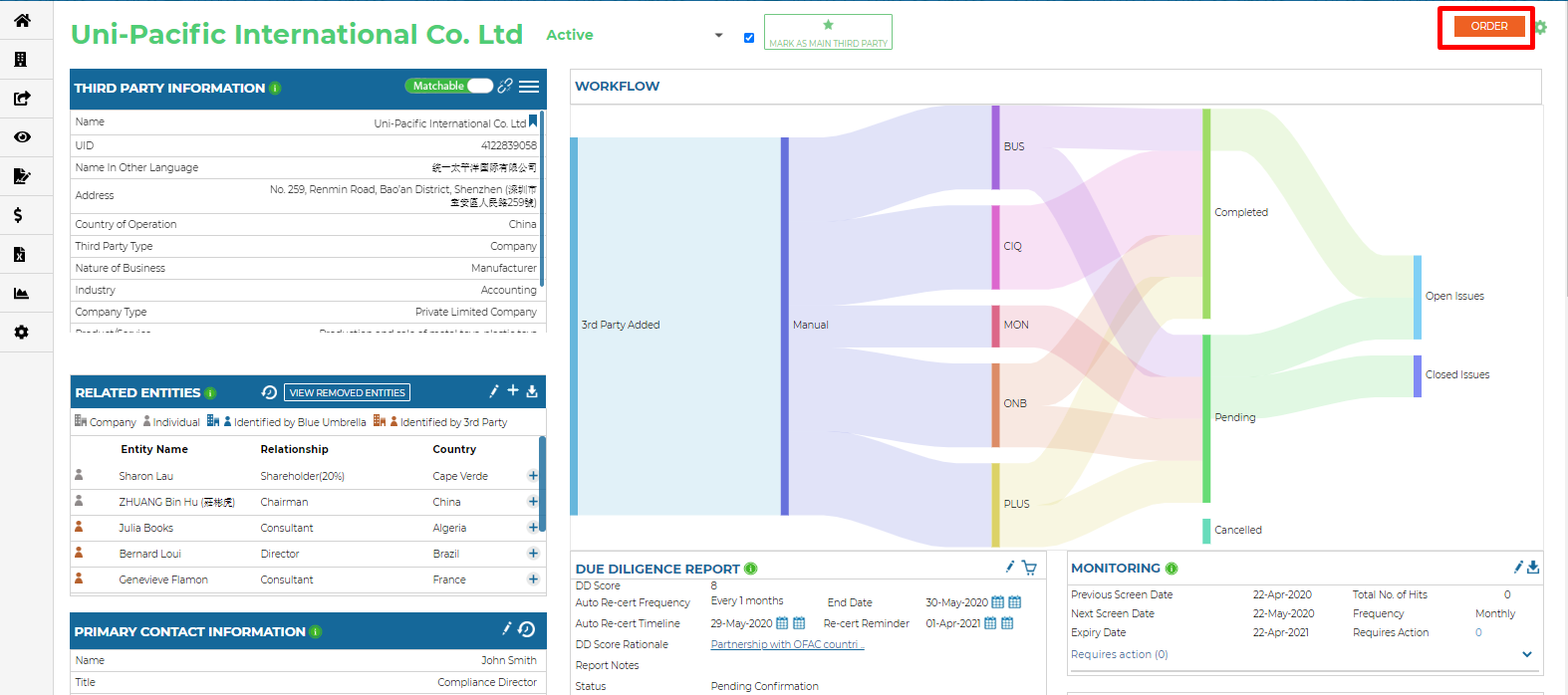
Ordering Monitoring can be done through an automation or can be done manually. In order to have monitoring ordered through an automation, please work with your client success manager. For manually ordering monitoring, in the third parties dashboard:
- Click on the order button in the top right hand corner:
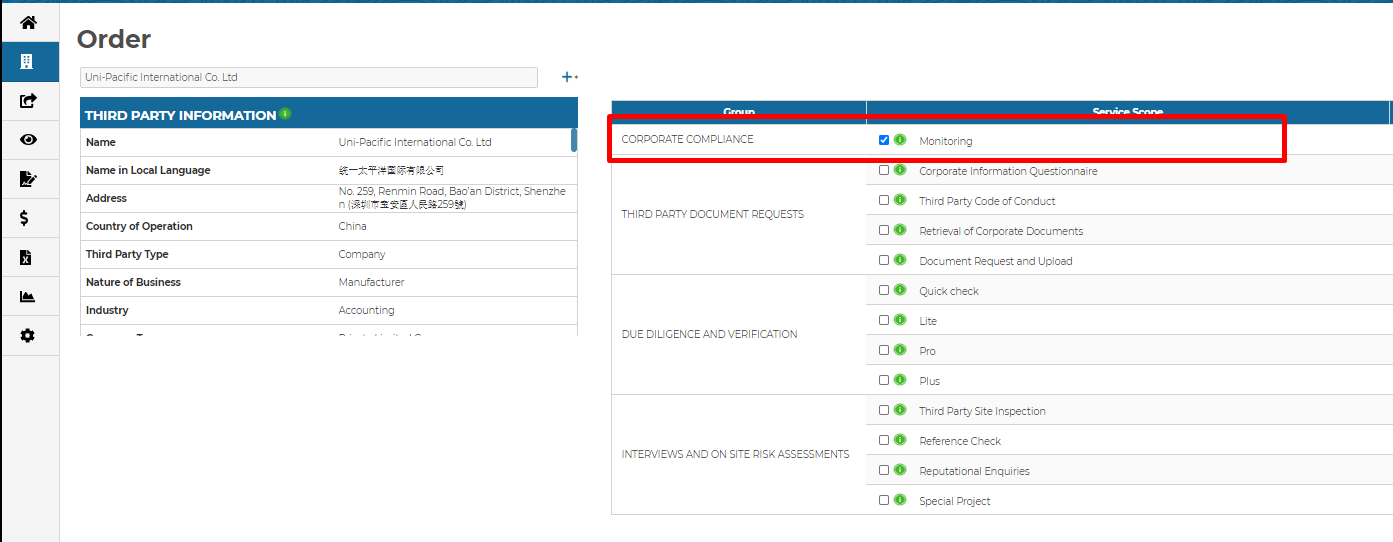
- Select monitoring in the corporate compliance section of the orders page and click the proceed button in the bottom right hand corner:
- Then select how often you would like the screenings to be run ,and confirm the order by clicking on the confirm button in the bottom right hand corner of the confirmation page
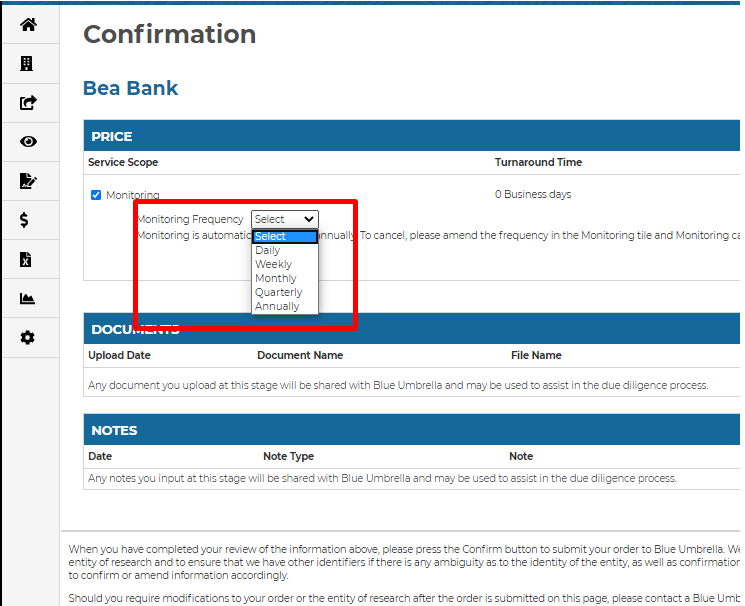
Once the order has been confirmed, the results of the monitoring screening will be available instantly and can be viewed from the monitoring dashboard. They can also be viewed for each individual third party on their respective third party dashboards.
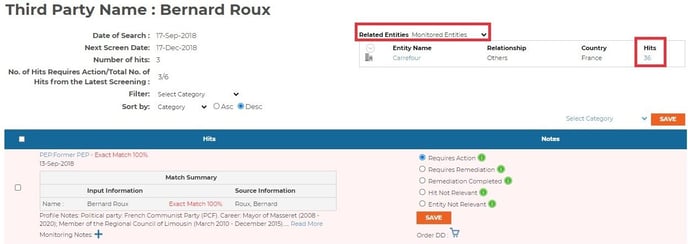
Below is a list of the different possible action items you will see in your returned monitoring results:
- “Requires Action”
This is how a new hit will enter the system. It requires your attention and needs to be re-categorized as “Requires Remediation”, “Remediation Completed” or “Hit Not Relevant”/”Entity Not Relevant”.
- “Requires Remediation”
A hit is deemed to be an issue and needs to be dealt with. You will be prompted to add the issue to the third party’s issue tracker. If the entity information is updated or there are comments for the hit, the hit will appear again with updated information.
- “Remediation Completed”
If a hit classified under “Requires Remediation” has been handled, it can be re-classified as “Remediation Completed".
- “Hit Not Relevant”
If a hit issue does not concern you, or you deem it to be a false positive, similar hits will cease to appear in future monitoring frequencies.
- “Entity Not Relevant”
If the entity of this profile does not concern you, hits on the same entity will cease to appear in future monitoring frequencies.
You can also check if any Related Entities have hits with a simple click:
If you have any additional questions regarding our monitoring solution, please reach out to your client success manager.