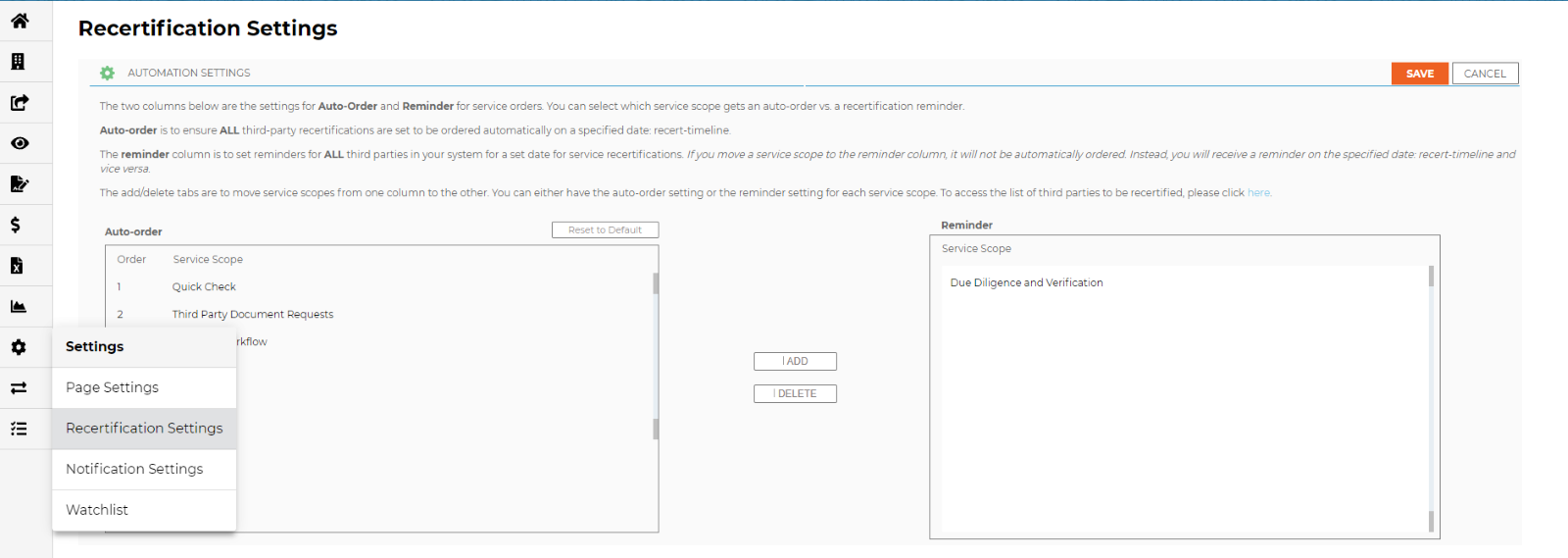
Recertification case-by-case or in bulk
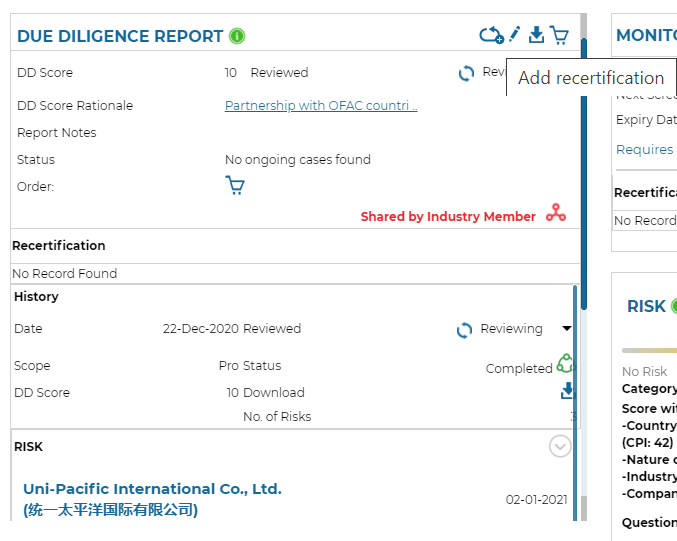
- Users can initiate or schedule recertification (i.e. questionnaire, due diligence and/or monitoring) of a third-party: on the third-party dashboard, click on the recertification icon on the relevant tile shown below.
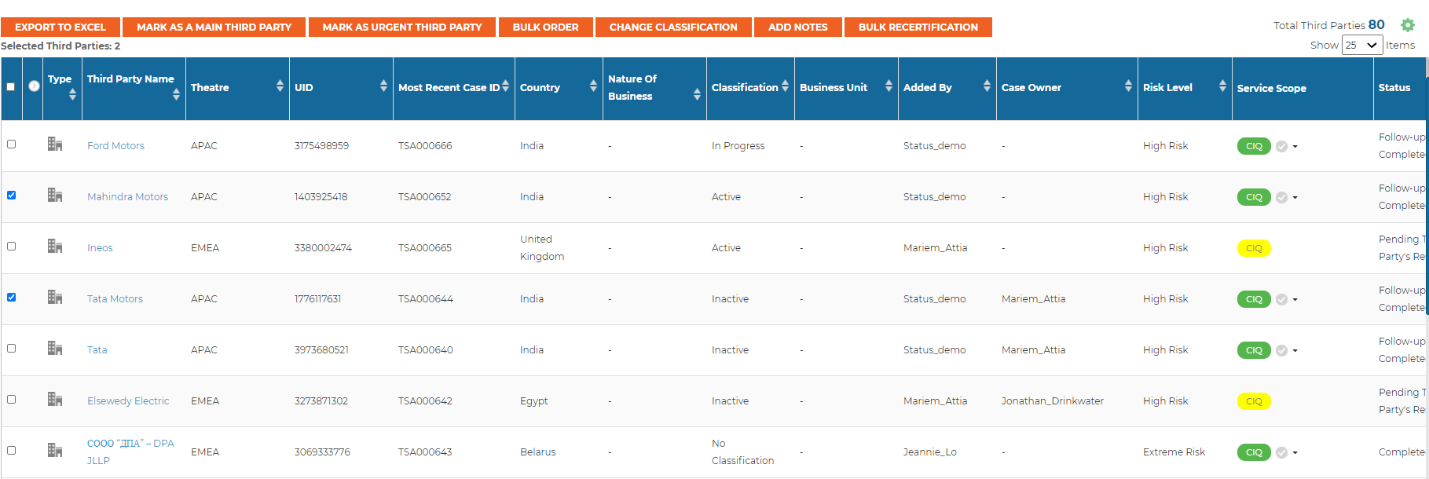
- To recertify third parties in a bulk order, select the relevant business intelligence template, then choose your third parties to be recertified and select service, recertification date, frequency and end date.
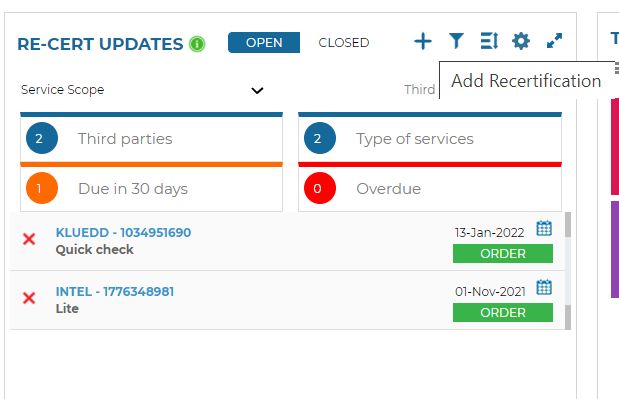
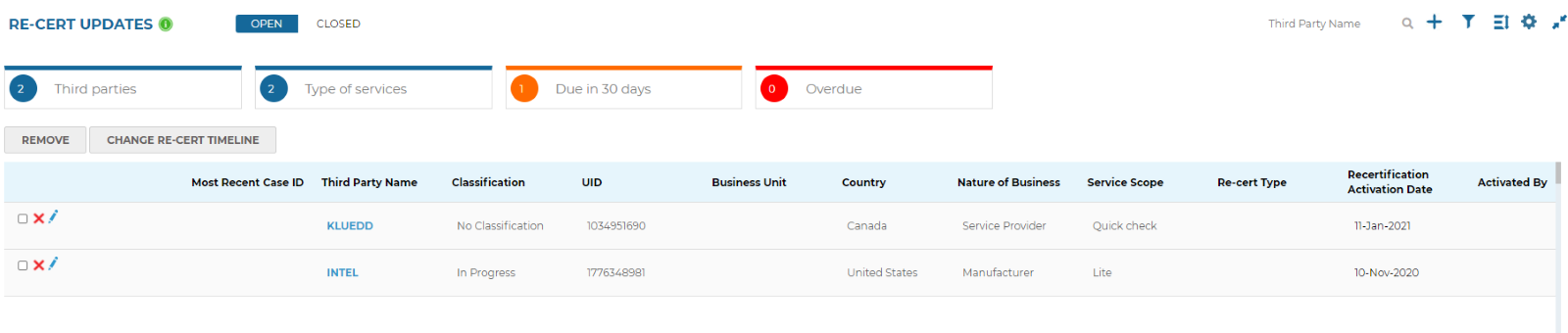
- The re-cert update tile is another place in the Status interface to view or add third parties for recertification. Click on the + icon like in the image shown below to recertify third parties and the list will automatically be updated.
- Use automation to automatically recertify third parties you wish to recertify on a regular frequency. To do this, speak to your client success manager to set up this automation service.
Know which third parties are being recertified
Recert-update: sorting, filtering and searching is available
Recertified third parties or cancelled recertification will be logged under closed. A user can also decide to change the timeline, cancel the recertification or order the scheduled service.
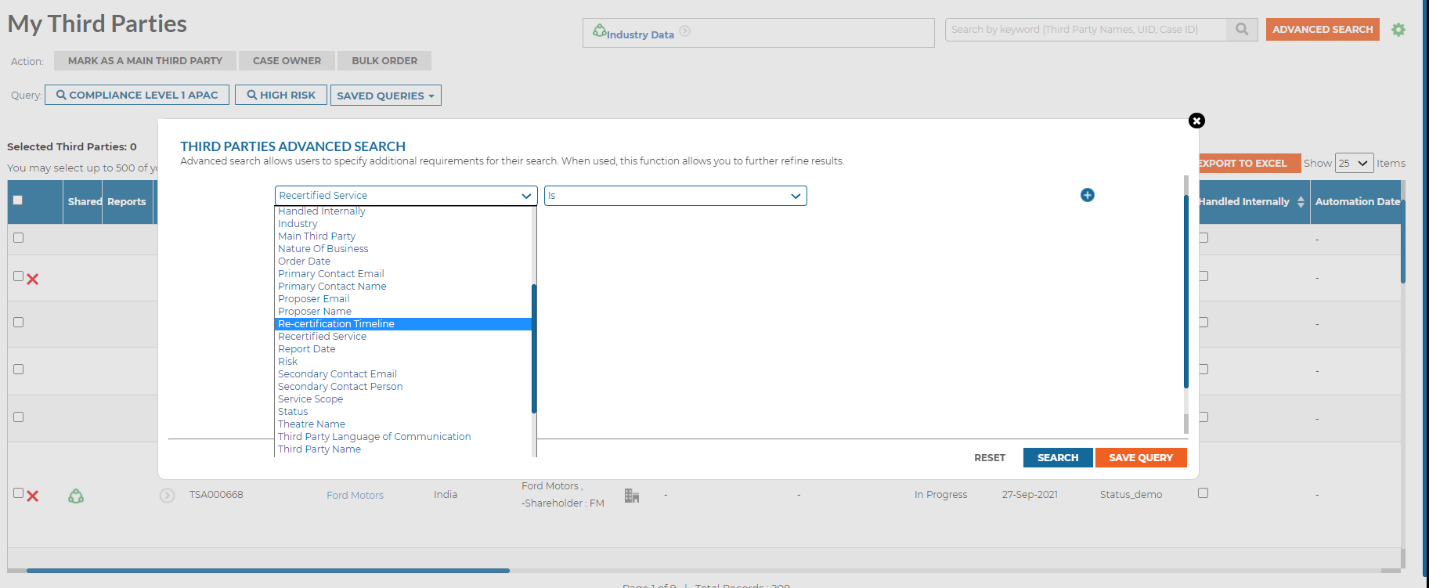
Users can search by recertified services and by timeline shown below.
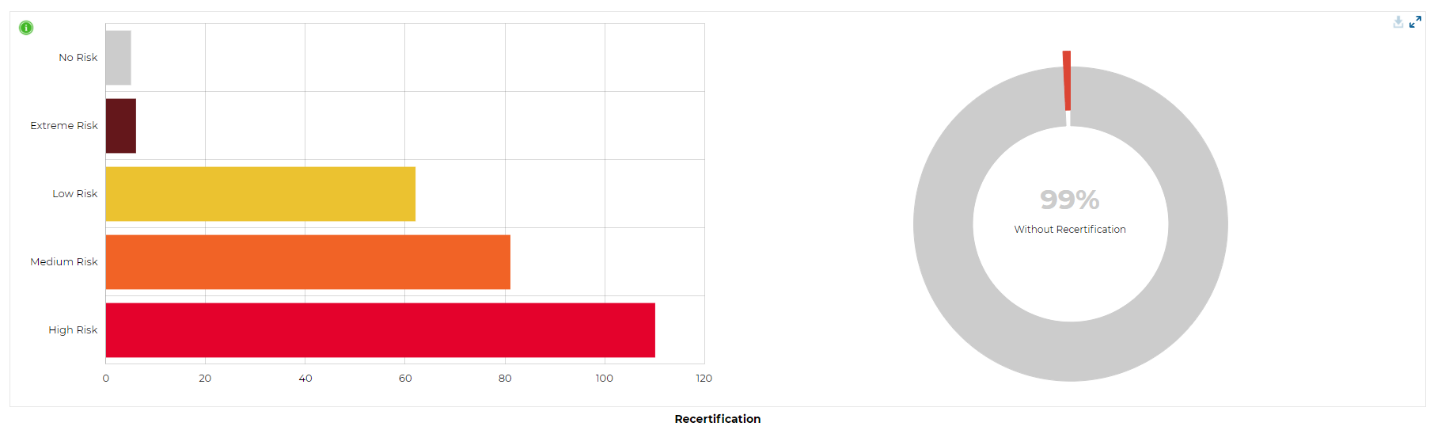
Completed cases and third-party lifecycle has data graphed to show a visual representation of recertified third parties. To learn more about these graphs, lick on the info icon.
How does Blue Umbrella recertify services and third parties?
Blue Umbrella follows the saved protocol under recertification settings of their users so that users can:
- Send a reminder to the proper contact on the selected recertification timeline date
OR
- Automate the service order on the selected recertification timeline date