
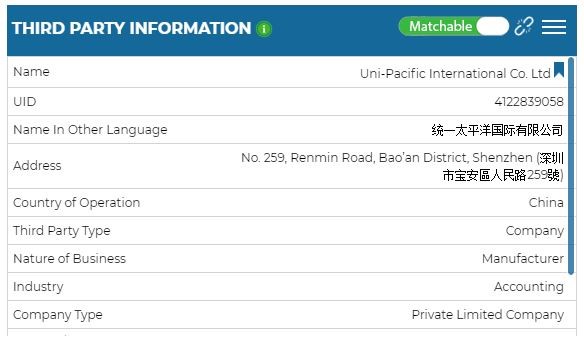
Third Party Information
You can view the information entered about a third party in this tile. To edit a field, click on the + icon and to add a new field, click on the pencil icon. To view a third party’s sharing history, click the History icon.
You can see the history of changes to a third party, such as when you added the new third party, when you matched the third party with another member’s third party and when a compliance member edited third party information. You can also unmatch your third party if desired.
Notifications by Field
A number of fields can be used to push notifications internally upon changes in Status. Based on the Theatre field, you can send email notifications to specific members in regional compliance teams.
With the Case Owner field, you can assign third party cases to compliance team members. You can also opt to automatically assign case owners to newly added third parties based on the country of operation or theatre. This automation can help you make sure that every third party is managed by the appropriate case owner.