
Classification
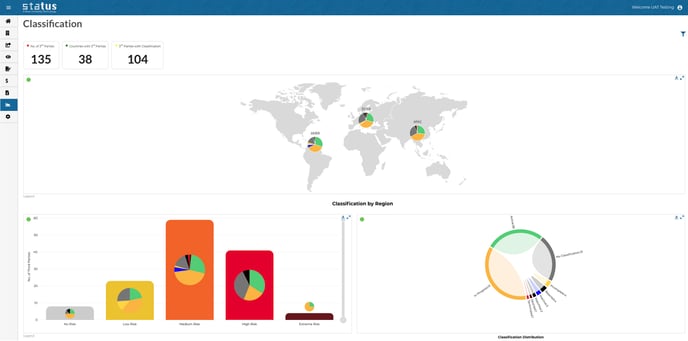
Next to the name of your Third Party you will see a drop-down that indicates the current classification of your third party. Status provides a default list, but the list can be calibrated to match your organization's terminology.
Change the status of your third party by clicking “Select Classification”.
Upon your request, we can send you email notifications when the classifications of your third parties change.
Watchlist
This feature will allow you to create a list of entities on your own Watchlist. Adding entities to your Watchlist can be done in bulk, matching existing entities in the Watchlist with new and existing third parties to identify them as on your Watchlist.
By default if a main third party is terminated or classified as on your Watchlist any related entities that have been added as third parties will be added to triage with the notification of “Main Third Party is [Watchlist], Related Entities in Triage”.
The Watchlist feature allows your compliance team to collectively keep on top of managing large and numerous third parties.
Your Watchlist can be accessed from Settings, once there you can perform a range of operations including bulk adding or removing entries, and viewing details. Adding a new third party that is matched to a Watchlisted entry will notify the user and automatically change its classification to “Watchlist”.
Monitoring and Classification
Classification is checked before each monitoring frequency to determine if the
monitoring service will be run. By default, if the third party’s classification is terminated, rejected, aborted, or blacklisted, the monitoring service will not be performed but you are able include or exclude other classifications.
POWER USER TIP: Email notifications keep you informed of any relevant classification changes, so you can review your workflow after receiving a notification about the change and take the appropriate next steps.
For example, if a third party’s classification changes to Terminated, Status will record this in the Issue Tracker but your workflow may also require you to contact your legal or procurement department.