
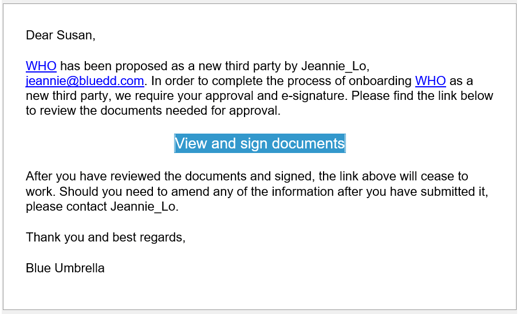
The Compliance User initiates Onboarding from the Onboarding tile in the third party dashboard. When SAVED, an email notification will be sent to the approver(s). The approver clicks the View and sign documents link.
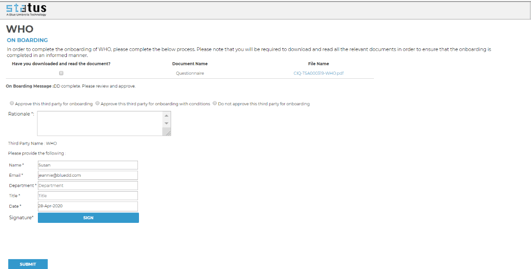
Clicking the link takes the approver to Status without the need for further authentication. The approver details are pre-populated, but the approver must download all attachments and complete mandatory fields before submitting. The approver's job is to make a decision, provide the rationale and e-sign. Click SUBMIT button to complete the process.
The approver will receive a confirmation message after successful submission. The compliance user will receive an email notification upon completion of the onboarding case.