
What is managed monitoring?
Monitoring in Status is our ongoing database screening service where you can set compliance screenings to be run on a regular basis. Managed monitoring is an add-on to this service where Blue Umbrella researchers will review any hits that are returned from a monitoring screening, and will filter out any false positives for your third parties on your behalf. This allows you and your compliance team to only focus on the hits that are relevant to your third parties.
What are the benefits of managed monitoring?
Our managed monitoring service was designed for smaller compliance teams who do not have the resources to spend time removing false positives, but is also a perfect fit for any organization needing to improve the efficiency of the ongoing screening remediation process. This service will help your compliance team save the many hours they would have used for filtering out false positives, and allow them to utilize it towards more productive activities.
How to order Monitoring:
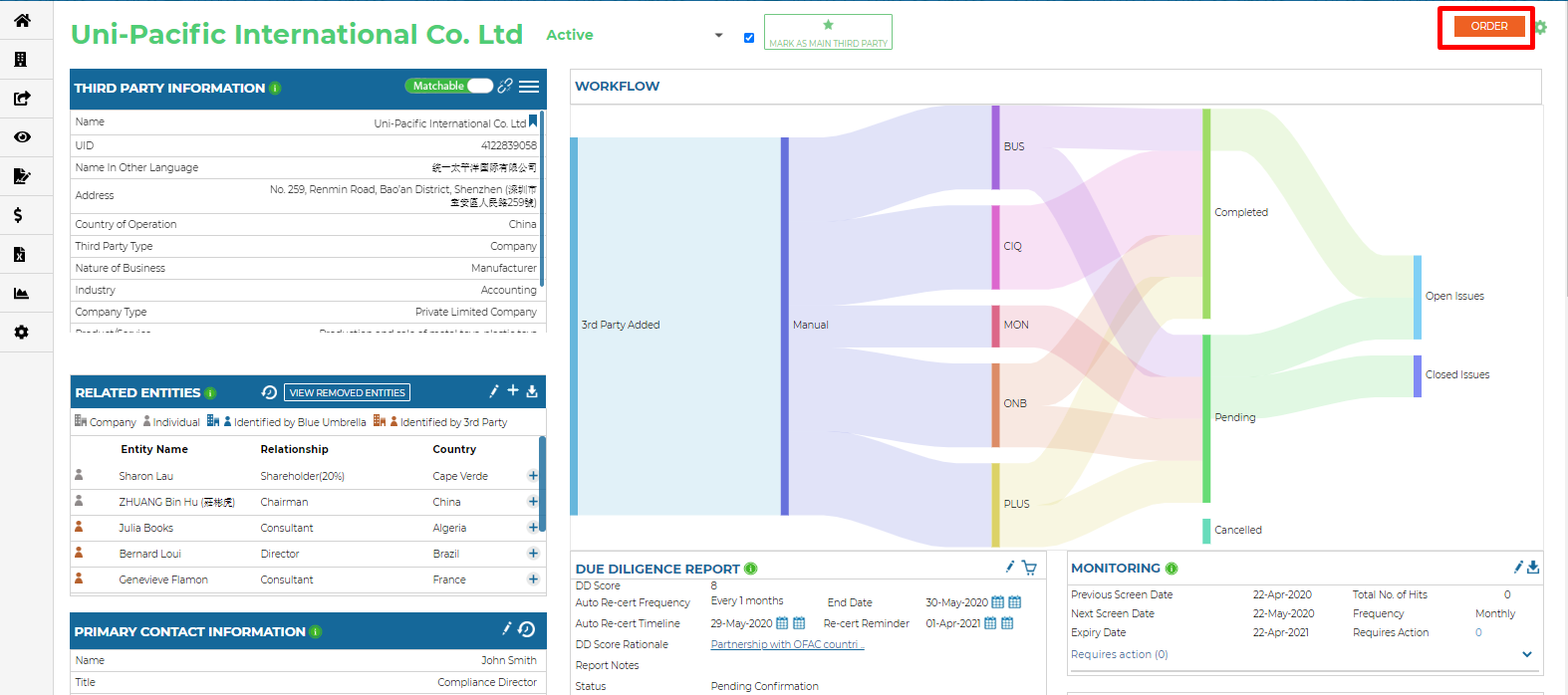
Ordering Monitoring can be done through an automation, manually or through a bulk order. In order to have monitoring ordered through an automation, please work with your client success manager. For manually ordering monitoring, in the third parties dashboard:
- Click on the order button in the top right hand corner:
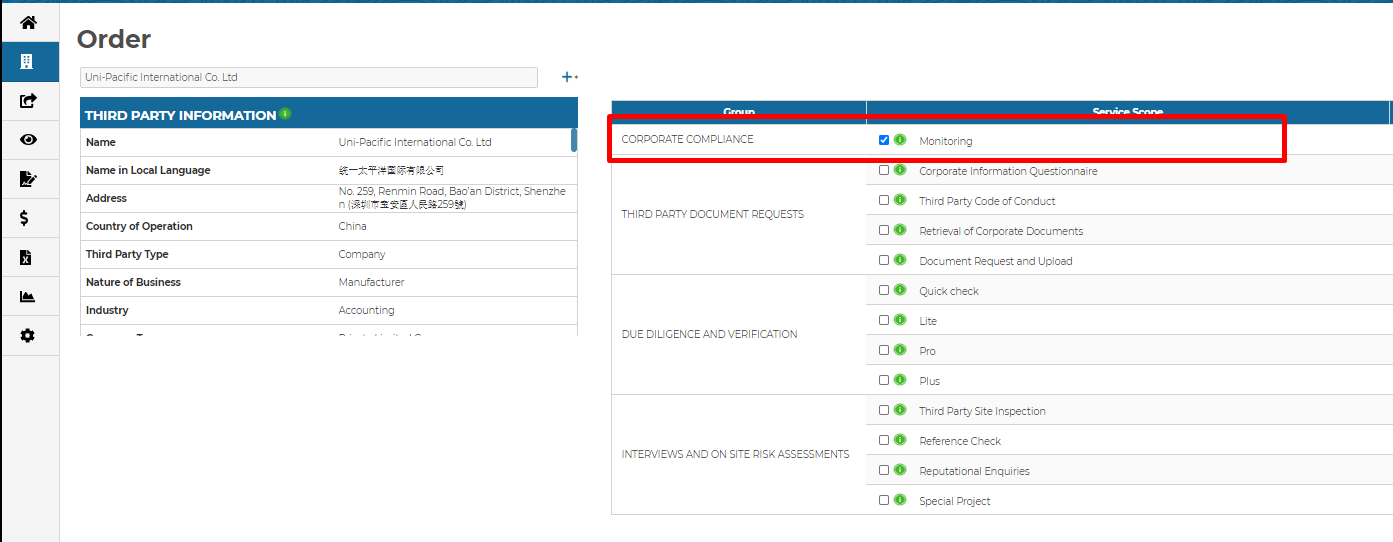
- Select monitoring in the corporate compliance section of the orders page and click the proceed button in the bottom right hand corner:
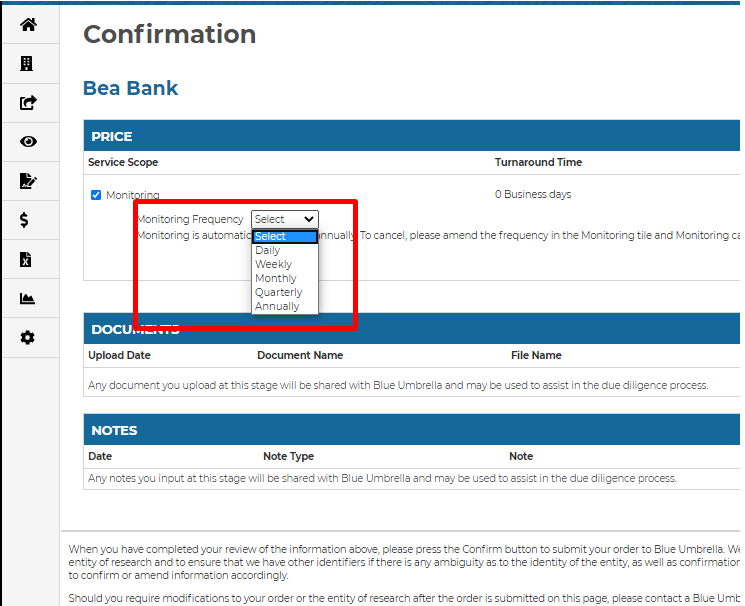
- Then select how often you would like the screenings to be run, and confirm the order by clicking on the confirm button in the bottom right hand corner of the confirmation page
Once the order has been confirmed, the results of the managed monitoring screening will be available once the Blue Umbrella researchers have reviewed any hits that were returned. The results when available, can be viewed from the monitoring dashboard, or can also be viewed for each individual third party on their third party dashboard. The turnaround time is three days. If there are no hits, the results will be available immediately and not after being reviewed by Blue Umbrella.
Below is a list of the different possible action items you will see in your returned monitoring results:
- “Blue Umbrella marked Requires Action”
This is how Blue Umbrella will enter a new hit into the system. It requires your attention and needs to be re-categorized as “Requires Remediation”, “Remediation Completed” or “Hit Not Relevant”/”Entity Not Relevant”.
- “Requires Remediation”
This designation is for a hit that is deemed to be an issue and needs to be dealt with. You will be prompted to add the issue to the third party’s issue tracker. If the entity information is updated or there are comments for the hit, the hit will appear again with updated information.
- “Remediation Completed”
If a hit classified under “Requires remediation” has been handled, it can be re-classified as “Remediation Completed".
- “Blue Umbrella marked Not Relevant”
Blue Umbrella has deemed that the details of the hit do not match with the third party information provided by the client.
- “Hit Not Relevant”
If a hit issue does not concern you, or you deem it to be a false positive.
- “Entity Not Relevant”
If the entity of this profile does not concern you, hits on the same entity will cease to appear in future monitoring frequencies for this case.
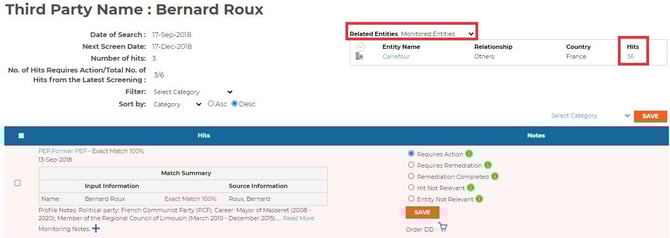
You can also check if any Related Entities have hits with a simple click:
For any further questions regarding managed monitoring, please reach out to your designated client success manager.