
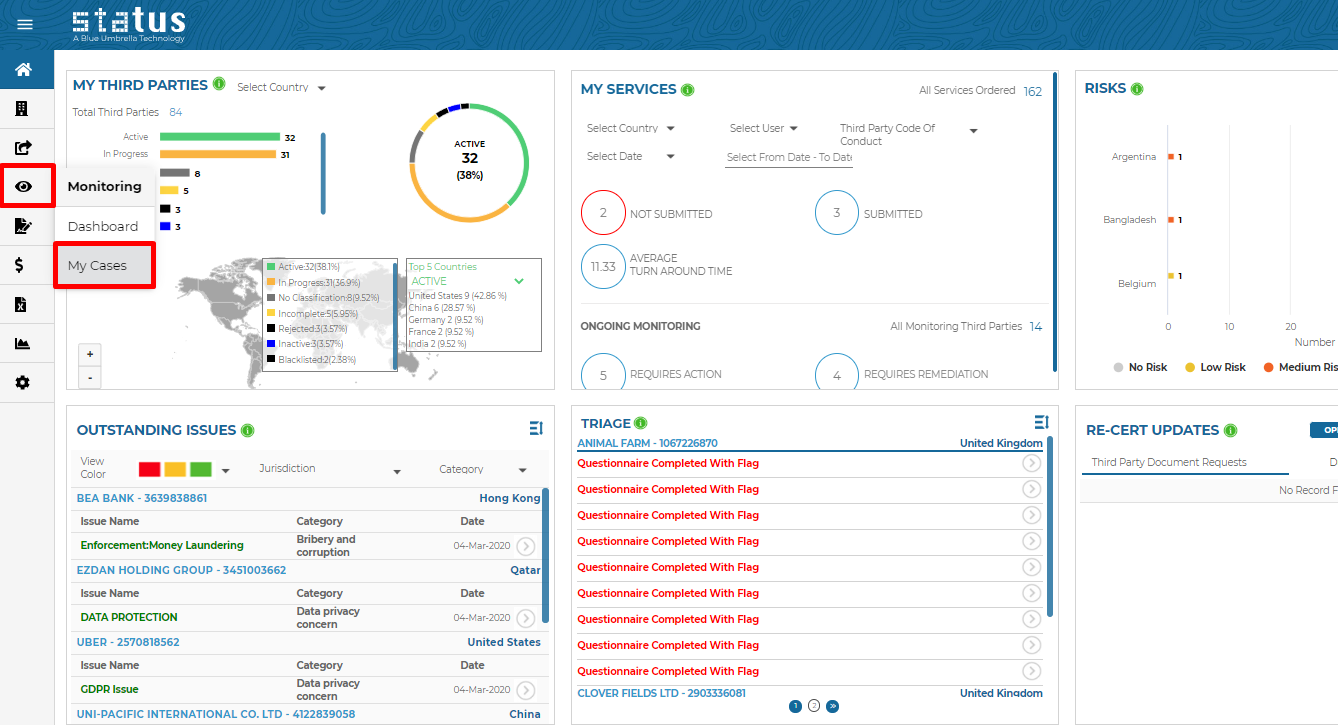
The "My Cases" monitoring page can be easily found on the left hand side of the home page under the monitoring menu:
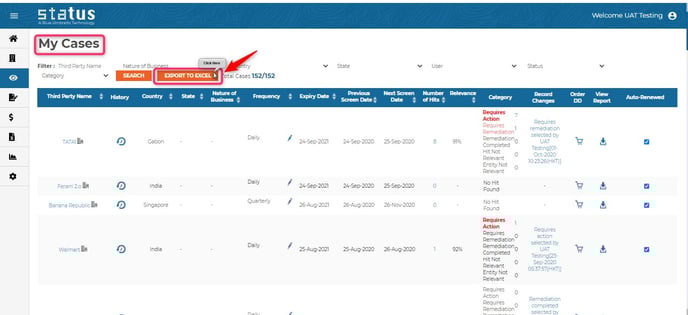
My Cases lists all of your ongoing third party monitoring efforts. You can filter by:
- Third Party Name
- Country
- State
- Status (ongoing or completed monitoring)
- Category (actions required or taken for monitoring hits)
- User
- Nature of Business
This can then be exported into Excel
You can change the frequency of monitoring services, order due diligence or download a report.
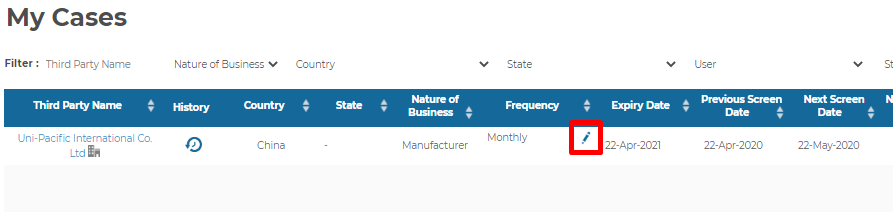
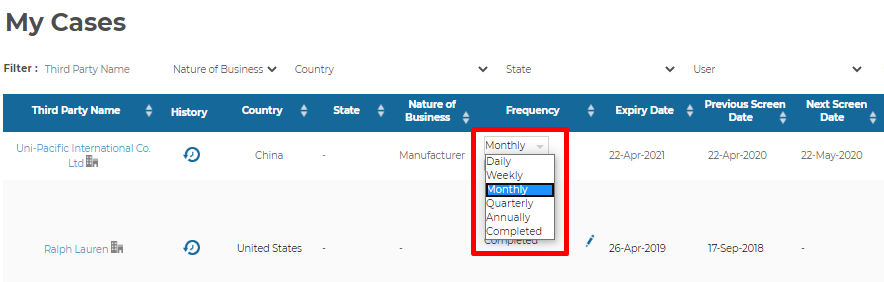
- To change the frequency, click on the "edit" icon under the frequency column and select a new frequency:
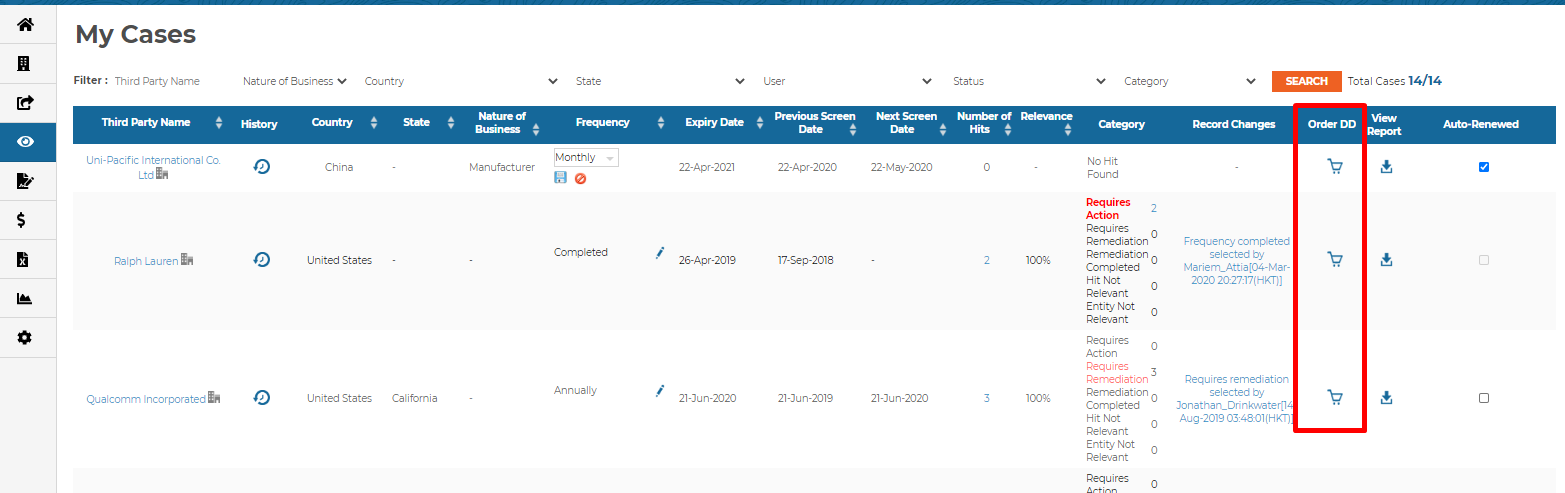
- To order due diligence, simply click on the shopping cart for the third party for which you wish to order services:
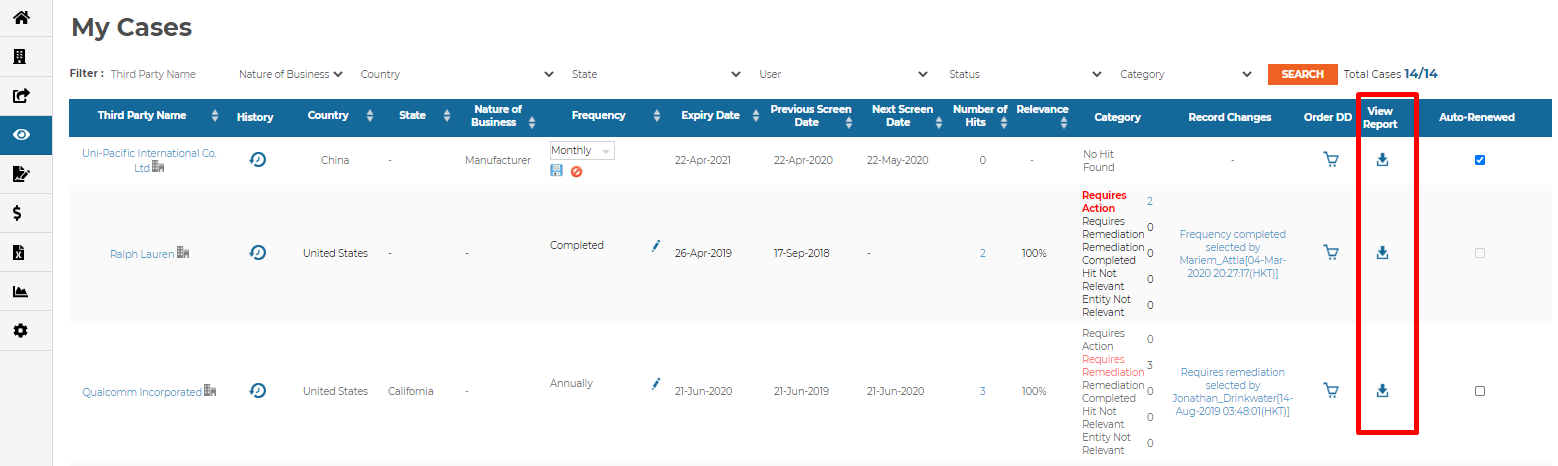
- To download the monitoring report, go to the View Report column and click on the download icon. We have the report for each frequency in your monitoring history.
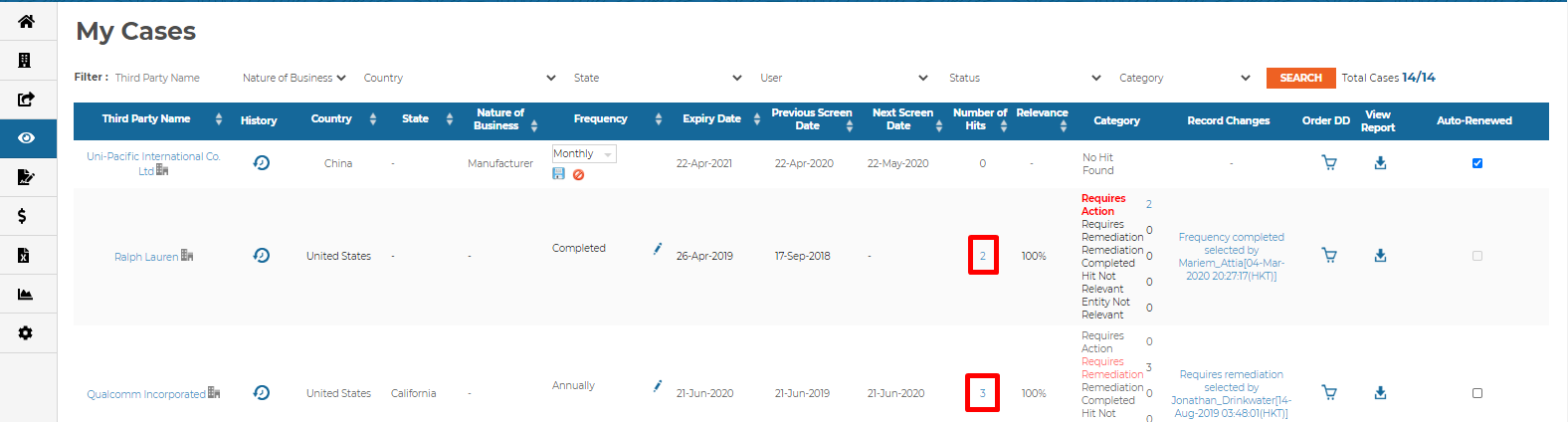
You can also view details related to monitoring hits and the categories of associated hits. To view the hits for a third party, simple click on the hyperlink in the "Number of Hits" column:
The reports are automatically updated if a user adds a monitoring note or changes the category of a hit.
User tip: You can suppress individual hits with “Hit Not Relevant”, or dismiss an irrelevant entity altogether with “Entity Not Relevant” to reduce false positives, minimize noise and keep your monitoring relevant to you.
For any additional help needed relating to our monitoring pages or services, please reach out to your client success manager.